
Use Nacos Controller to Sync Kubernetes Services to Nacos
Overview
Nacos Controller supports bidirectional synchronization of Kubernetes configurations and synchronization of Kubernetes services to Nacos. This document describes how to use Nacos Controller to sync Kubernetes services to Nacos.
Prerequisites
Deploy Custom Resources
# Clone the repositorygit clone https://github.com/nacos-group/nacos-controller.gitcd nacos-controller/charts/nacos-controller# Export the Kubernetes cluster configuration file pathexport KUBECONFIG=/path/to/your/kubeconfig/file# Create the namespace for CRD installationkubectl create ns nacos# Install the CRDhelm install -n nacos nacos-controller .After installation succeeds, run kubectl get crd | grep nacos to check the result. The following output indicates that the CRDs are installed correctly:

Create a Secret
Create a Secret for Nacos authentication, including the Nacos username and password. If you use MSE Nacos with authentication enabled, you must also configure the access key and secret key. Note: parameter values must be base64-encoded.
-
Create a Secret configuration file.
apiVersion: v1kind: Secretmetadata:name: nacos-authdata:accessKey: <base64 ak>secretKey: <base64 sk>username: <base64 your-nacos-username>password: <base64 your-nacos-password> -
Create the Secret.
Terminal window kubectl apply -f secret.yaml -n nacoskubectl
Create ServiceDiscovery
- Create a ServiceDiscovery configuration file.
apiVersion: nacos.io/v1kind: ServiceDiscoverymetadata:name: sd-demospec:nacosServer:# serverAddr: Nacos addressserverAddr: <nacos-addr># namespace: namespace ID used to sync Kubernetes services to Nacosnamespace: <nacos-namespace-id># authRef: Secret that contains Nacos client credentials (username/password or AK/SK). It can be omitted if authentication is disabled on the Nacos server.authRef:apiVersion: v1kind: Secretname: nacos-auth# Service list to sync. Omit this field to sync all services.services: ["my-nginx", "test1"]
- Create ServiceDiscovery.
kubectl apply -f sd.yaml -n nacos
Create a Deployment
- Create a Deployment configuration file. The following example uses nginx.
apiVersion: apps/v1kind: Deploymentmetadata: name: nginx-deploymentspec: selector: matchLabels: app: nginx replicas: 2 template: metadata: labels: app: nginx spec: containers: - name: nginx image: nginx:latest ports: - containerPort: 80kubectl apply -f nginx-deployment.yaml -n nacosCreate a Service
-
Create a YAML file.
apiVersion: v1kind: Servicemetadata:name: my-nginxlabels:run: my-nginxspec:ports:- port: 80protocol: TCPselector:app: nginx-test -
Deploy the Service.
Terminal window kubectl apply -f nginx-service.yaml -n nacos -
View the Service endpoint.
Terminal window kubectl describe svc my-nginx -n nacos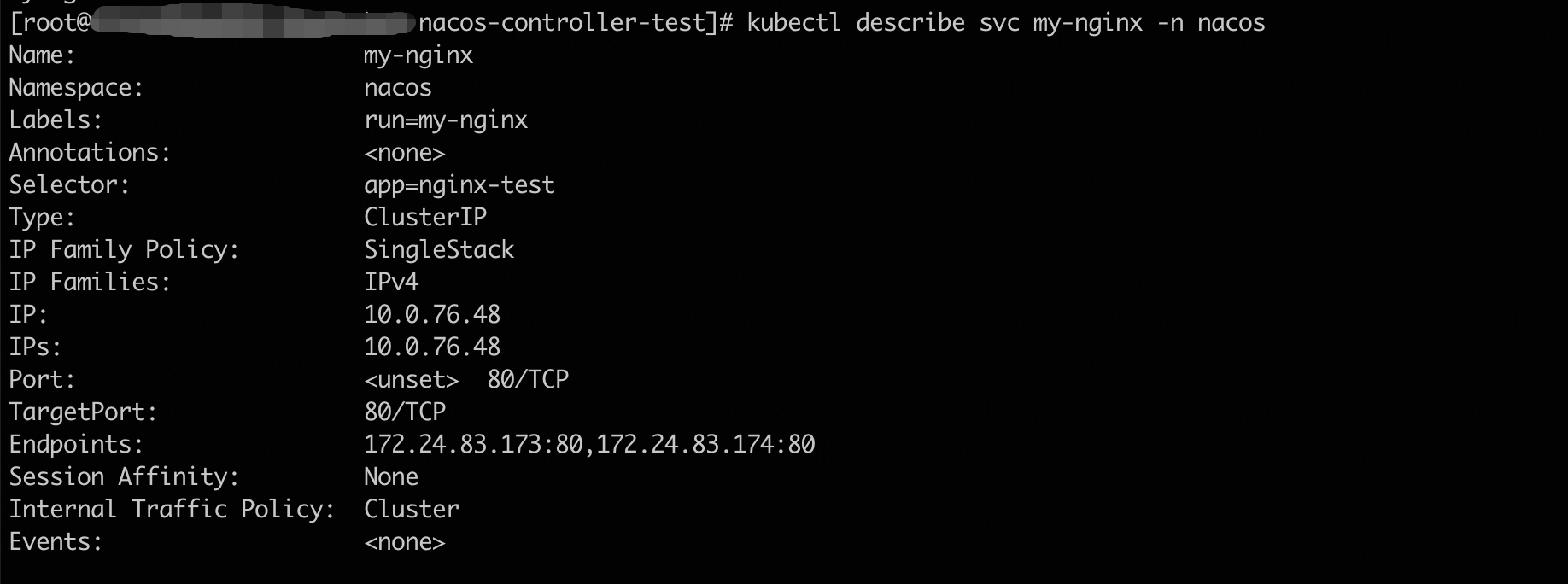
View the Synchronization Result
curl "$NACOS_ADDR/nacos/v3/admin/ns/instance/list?serviceName=my-nginx' -H "userName:$USER_NAME" -H "password:$PASSWORD"