Use Nacos with Istio to Deliver the xDS Protocol
Istio Guide
Nacos supports the CDS and EDS services in the xDS protocol and implements incremental push for EDS and MCP. You can connect Envoy or any other xDS-compatible client to Nacos to implement service discovery.
Configuration
Server
For a release package, set nacos.istio.mcp.server.enabled and nacos.extension.naming.istio.enabled in nacos/conf/application.properties to true.
For source code, set nacos.istio.mcp.server.enabled and nacos.extension.naming.istio.enabled in nacos/distribution/conf/application.properties to true.
To use the MCP incremental service, in addition to the preceding settings, set nacos.istio.server.full in nacos/istio/misc/IstioConfig to false.
Client
The following client example uses Envoy. You can download Envoy directly, or build an image and mount the following configuration files.
Config: You can change the port numbers as needed.
node:  cluster: test-cluster  id: test-idn
admin:  address:    socket_address: { address: 0.0.0.0, port_value: 15000 }
dynamic_resources:  ads_config:    api_type: GRPC    transport_api_version: V3    grpc_services:      - envoy_grpc:          cluster_name: nacos_xds  cds_config:    ads: { }  lds_config:    path: /etc/envoy/lds.yaml  # ads: {}
static_resources: clusters: - type: STATIC connect_timeout: 1s typed_extension_protocol_options: envoy.extensions.upstreams.http.v3.HttpProtocolOptions: "@type": type.googleapis.com/envoy.extensions.upstreams.http.v3.HttpProtocolOptions explicit_http_config: http2_protocol_options: { } name: nacos_xds load_assignment: cluster_name: nacos_xds endpoints: - lb_endpoints: - endpoint: address: socket_address: address: 127.0.0.1 port_value: 18848lds: After the listened service obtains CDS, it actively obtains EDS from the server. You can change the listened service as needed.
resources: - "@type": type.googleapis.com/envoy.config.listener.v3.Listener name: listener_0 address: socket_address: { address: 0.0.0.0, port_value: 80 } # listener_filters: # - name: "envoy.filters.listener.tls_inspector" filter_chains: - filters: - name: envoy.filters.network.http_connection_manager typed_config: "@type": type.googleapis.com/envoy.extensions.filters.network.http_connection_manager.v3.HttpConnectionManager stat_prefix: ingress_http access_log: - name: envoy.access_loggers.stdout typed_config: "@type": type.googleapis.com/envoy.extensions.access_loggers.stream.v3.StdoutAccessLog codec_type: AUTO route_config: name: local_route virtual_hosts: - name: local_service domains: [ "*" ] routes: - match: { prefix: "/" } name: test route: cluster: outbound|8071||service-provider.DEFAULT-GROUP.e77d7925-1c90-4fa9-93cb-83153a099636.nacos http_filters: - name: envoy.filters.http.routerRun
Note: instances under the same service must use the same protocol. EDS uses incremental push by default.
-
Deploy Nacos. For deployment details, see the deployment reference.
-
Modify the configuration as described above.
-
Start the server. For detailed startup commands, see the deployment reference above.
Terminal window bash startup.sh -m standalone -p embedded -
Start the client.
Terminal window docker start envoy
CDS Example
Note: view logs in nacos/logs/istio-main.log.
The service registered in this example uses the following configuration. For more information, see the example reference.
server.port=8071spring.application.name=service-providerspring.cloud.nacos.discovery.namespace=e77d7925-1c90-4fa9-93cb-83153a099636spring.cloud.nacos.discovery.server-addr=127.0.0.1:8848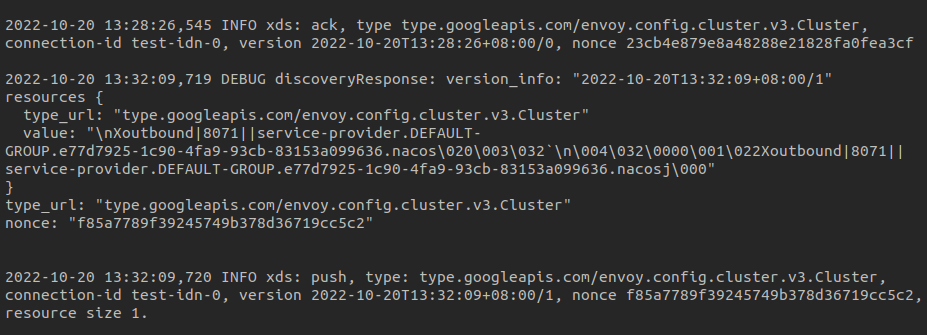
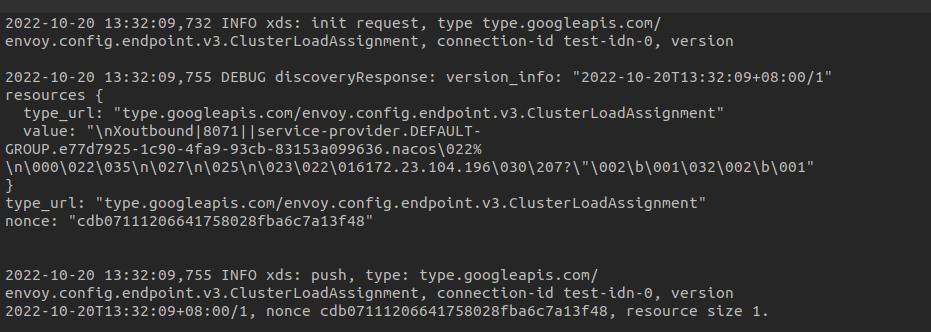
EDS Example
The service configuration is the same as above.
Full CDS Example
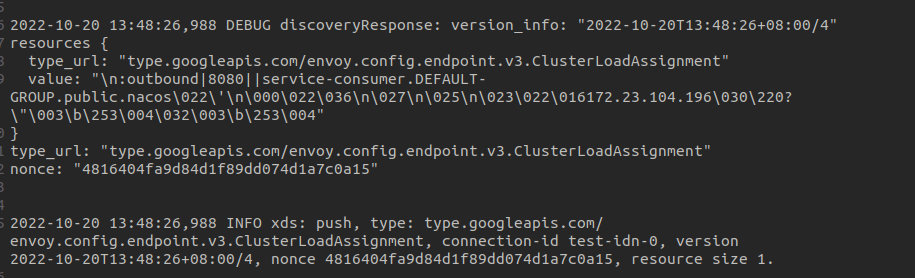
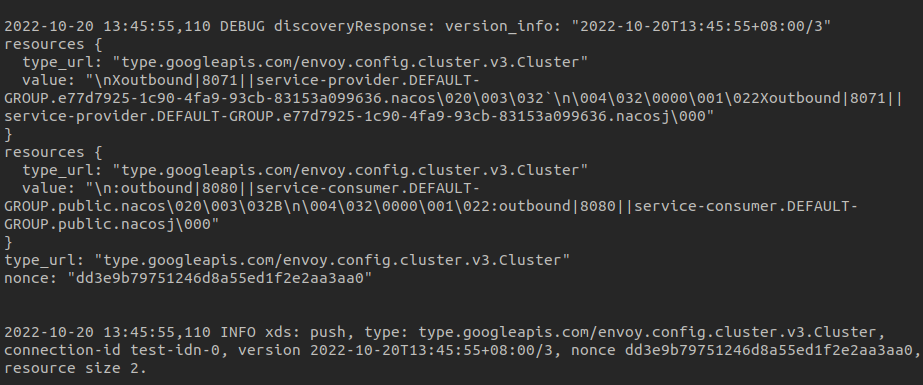
Register two services with the following configurations:
#service-providerserver.port=8071spring.application.name=service-providerspring.cloud.nacos.discovery.namespace=e77d7925-1c90-4fa9-93cb-83153a099636spring.cloud.nacos.discovery.server-addr=127.0.0.1:8848#service-consumerserver.port=8080spring.application.name=service-consumerspring.cloud.nacos.discovery.server-addr=127.0.0.1:8848Only modify the service-consumer service configuration in the console. The push result is as follows:
Incremental EDS Example
Only modify the service-consumer instance configuration in the console. The push result is as follows: